Admissions & Lifecycle
Admission, promotion, transfer and exit kept as episodes. Nothing is overwritten.
- Registrars
- Head teachers
- Class teachers

Every student journey kept as history, never overwritten.
Consent pending → ready → enrolled
emergency contacts captured at intake
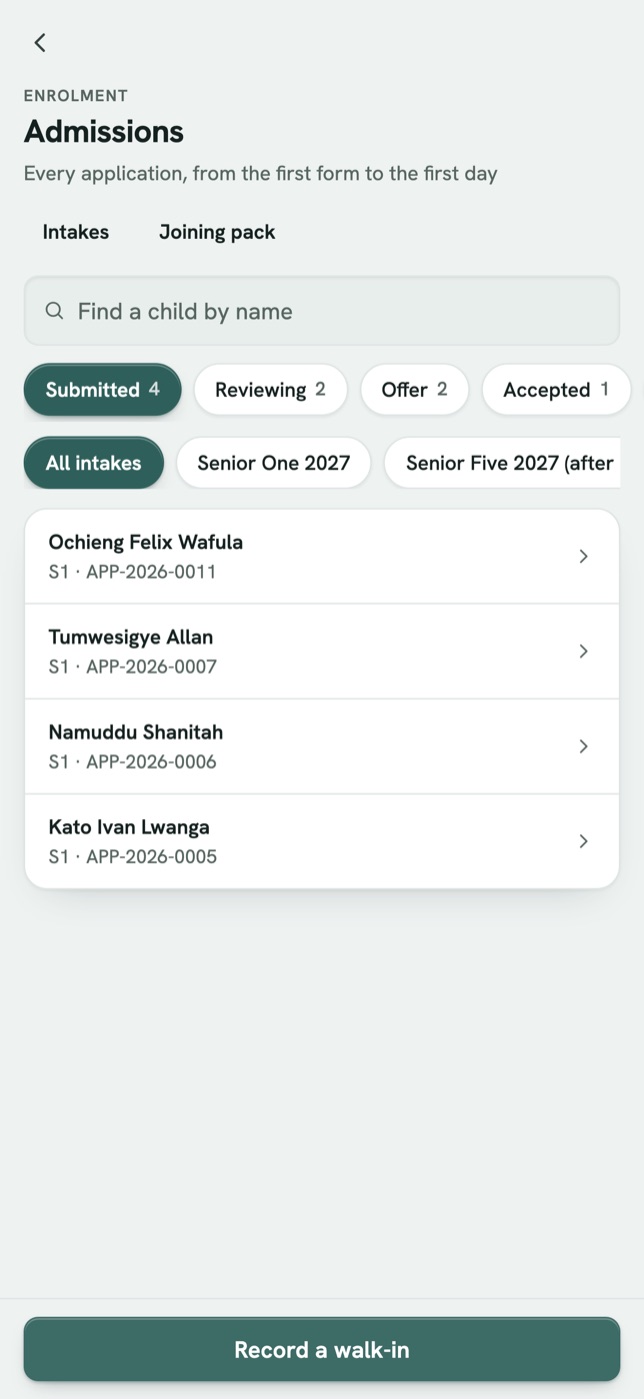
Admissions
Intake pairs guardians and de-duplicates against the roll you already have.
Promoted · repeated · graduated · corrected
four of the eight outcomes
Promotion and progression
A cohort moves into year-bound classes that cannot collide.
Released → completed
the sending school must release
Transfers
A student moves out and the record survives on both sides.
S1 2023 → S3 2026
one open episode, the rest closed
A full per-student history
See a child across every year they were here.
What it looks like in Brim
AdmissionsEvery application from the first form to the first day, sorted by where it stands. Joan Atim
Enrolment history- 23
S1 North
2023 · Admitted
- 24
S2 North
2024 · Promoted
- 25
S2 West
2025 · Repeated
- 26
S3 East
2026 · Promoted
One student, every year.S1 through graduation, each year a discrete episode: the class, the year, the reason it ended.
Three steps, start to finish
- 1
Admit
Intake pairs guardians, captures biometric consent and de-duplicates against the existing roll.
- 2
Progress
Promotion, repeat or transfer is recorded as its own year-bound episode.
- 3
Preserve
The full per-student history stays intact, a clean timeline across every year.
Every year is its own episode.
Most systems overwrite last year when a student is promoted. Here enrolment is a sequence of year-bound episodes, so every transition stays auditable and no year is lost.
Enrolment is bound to a year, so the history stays clean.
Most systems
class: S3
S1 · S2 overwritten
Promotion overwrites last year.
Brim
Each year kept as an episode.
See the lifecycle in a walkthrough
See admissions working on your own school's records. Brim brings your records in, trains your staff and supports your team every term.
Or write to brim@nacre.systems