Stay close to your child’s school day
How your child is doing, what is owed and a word with a teacher, in one private place.

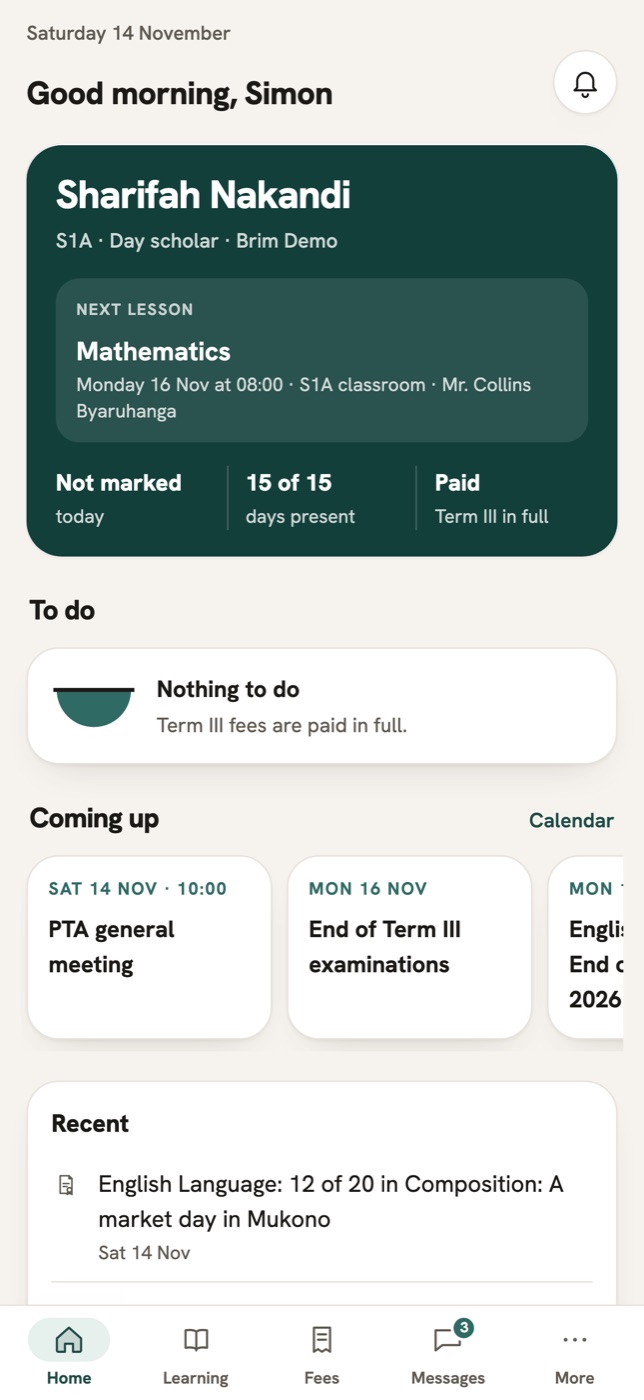
What a week looks like
What matters reaches you in one place, instead of getting lost in a group chat.
- 1
A quick look
Your child’s week is on the first screen. Attendance, a teacher’s note and the next fee.
- 2
A private word
You message your child’s teacher directly. Messages with your child are sealed end to end, so the school cannot read them.
- 3
A call home
During term you speak with your child on the school’s supervised phone, at a set time.
- 4
Without a smartphone
A short code on any phone reads your messages, your fees and your holiday notes.
What the app gives you
Your child at a glance
Attendance, fees, school notes and health updates in one short summary.
Parent–School CommsMessages only your family can read
Messages between parent and child are sealed end to end. The server keeps only a sealed copy.
Parent–School CommsFees in your currency
Your balance, your payments and your receipts, tied to your child.
Finance & PayrollEvery clinic visit, told to you
A visit to the health centre sends you a note. The record shows who saw your child, and when.
Health Centre
Your school invites you in, and the app is free
Once your school invites you, install the app to see your child’s week, message teachers and pay fees. Without a smartphone, the school reaches you by short code on any phone.